What is a Firewall and How Does It Work?
When people first step into cybersecurity, one of the earliest terms they hear is “firewall.” It sounds simple, almost like a wall made of fire that blocks threats. In reality, the idea is not far off.
A firewall is one of the most important security controls in any system, whether it’s a personal laptop, a corporate network, or a cloud-based application. It acts as a protective barrier between trusted and untrusted environments, making decisions about what traffic should be allowed and what should be blocked.
This article breaks down everything you need to know about firewalls in a clear, practical way. By the end, you’ll understand not just what a firewall is, but how it actually works in real-world scenarios.
Understanding the Basics of a Firewall
A firewall is a security system that monitors and controls network traffic based on predefined rules. It can be implemented as hardware, software, or a combination of both.
At a simple level, a firewall works like a security guard at the entrance of a building. Everyone trying to enter or leave must pass through the guard. The guard checks credentials and decides whether to allow or deny access.
In the same way, a firewall checks data packets moving across a network and determines whether they are safe.
Why Firewalls Are Important
Without a firewall, your system is directly exposed to the internet. That means any attacker, automated bot, or malicious program can attempt to access your device or network.
Firewalls help prevent:
- Unauthorized access to systems
- Malware infections through network traffic
- Data theft or leakage
- Network scanning and reconnaissance by attackers
Real-Life Scenario
Imagine you are connected to a public Wi-Fi network at an airport. Without a firewall, your device could be visible to other users on the same network. Attackers could attempt to scan your open ports or exploit vulnerabilities.
With a firewall enabled, unauthorized connection attempts are blocked, significantly reducing your risk.
How a Firewall Works
To understand how a firewall works, you need to know how data travels across networks.
When you send or receive data over the internet, it is broken into smaller units called packets. Each packet contains information such as:
- Source IP address
- Destination IP address
- Port number
- Protocol (TCP, UDP, etc.)
A firewall inspects these packets and compares them against a set of rules.
Step-by-Step Process
- A packet arrives at the firewall
- The firewall examines its header and sometimes its content
- It checks the packet against configured rules
- Based on the rules, it either allows or blocks the packet
- The action is logged for monitoring and analysis
Key Concepts Behind Firewall Operation
IP Address Filtering
Firewalls can allow or block traffic based on IP addresses.
For example:
- Allow traffic from a trusted internal network
- Block traffic from known malicious IPs
Port Filtering
Ports act like entry points for different services.
Common examples:
- Port 80 for HTTP
- Port 443 for HTTPS
- Port 22 for SSH
A firewall can restrict access to specific ports to reduce attack surfaces.
Protocol Filtering
Different types of traffic use different protocols such as TCP, UDP, and ICMP. Firewalls can control which protocols are allowed.
Master SOC Analysis
Are you passionate about cybersecurity and ready to build a career as a SOC Analyst? Look no further!
GradeSpot IT Solutions in Hyderabad offers expert-led training designed to make you industry-ready.
Types of Firewalls
Over time, firewalls have evolved from simple filtering systems to advanced security solutions. Let’s explore the main types.
Packet Filtering Firewall
This is the most basic type of firewall. It inspects individual packets and makes decisions based on predefined rules.
It checks:
- Source and destination IP
- Port numbers
- Protocol
While it is fast and efficient, it lacks deeper inspection capabilities.
Stateful Inspection Firewall
This type improves upon packet filtering by tracking active connections.
Instead of analyzing each packet in isolation, it understands the context of a connection. For example, if you initiate a request to a website, the firewall remembers it and allows the response.
This makes it more secure than simple packet filtering.
Proxy Firewall
A proxy firewall acts as an intermediary between users and the internet.
Instead of direct communication:
- The user connects to the firewall
- The firewall forwards the request to the internet
- The response comes back through the firewall
This approach hides internal network details and allows deep inspection of traffic.
However, it can introduce latency due to additional processing.
Next-Generation Firewall (NGFW)
Modern networks require more advanced protection, which is where next-generation firewalls come in.
These firewalls include features such as:
- Deep packet inspection
- Intrusion prevention
- Application awareness
- Malware detection
Unlike traditional firewalls that rely on ports, NGFWs can identify applications and enforce policies accordingly.
Web Application Firewall (WAF)
A web application firewall is designed specifically to protect web applications.
It focuses on HTTP and HTTPS traffic and protects against attacks like:
- SQL injection
- Cross-site scripting (XSS)
- File inclusion attacks
For example, an e-commerce website uses a WAF to protect user data from being exploited through web vulnerabilities.
Cloud Firewalls
With the rise of cloud computing, firewalls have adapted to protect cloud-based environments.
Cloud firewalls:
- Protect virtual machines and applications
- Scale automatically
- Integrate with cloud platforms
They are essential for securing modern applications hosted in environments like AWS, Azure, or Google Cloud.
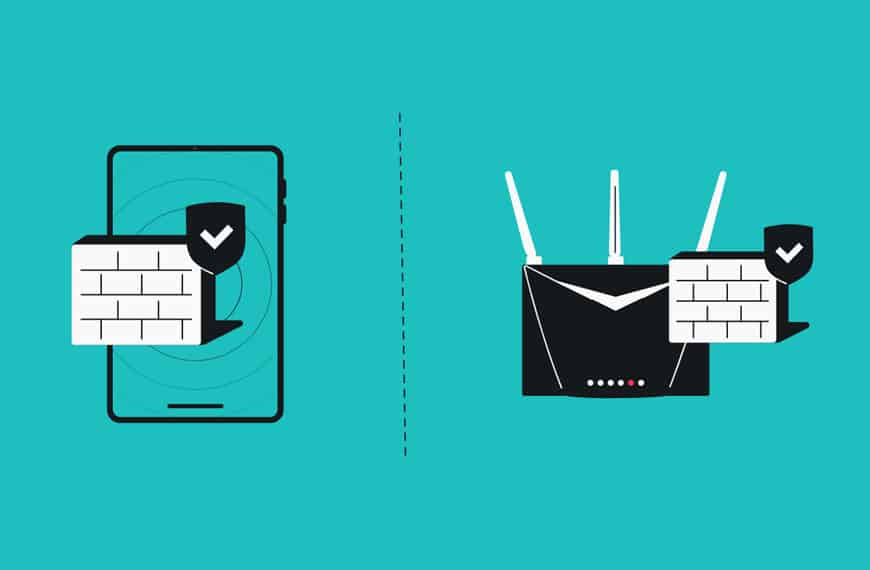
Hardware vs Software Firewalls
Firewalls can be implemented in different forms depending on the use case.
Hardware Firewalls
These are physical devices placed between a network and the internet.
They are commonly used in organizations to protect entire networks. They offer high performance and centralized control.
Software Firewalls
These are installed on individual systems such as laptops or servers.
They provide protection at the device level and are commonly used by individuals and small businesses.
Real-World Example of Firewall Functionality
Let’s walk through a simple scenario.
You open your browser and visit a website.
- Your system sends a request to the web server
- The firewall checks whether outbound traffic to that server is allowed
- The request is sent
- The server responds
- The firewall verifies that the response matches an existing request
- The response is allowed and displayed in your browser
Now consider an attacker trying to scan your system.
- The attacker sends multiple connection attempts
- The firewall identifies suspicious behavior
- The requests are blocked
- The activity is logged
Firewall Rules and Policies
Firewall rules are the core of how a firewall operates.
They define what traffic is allowed or denied.
Examples of Rules
- Allow HTTPS traffic on port 443
- Block Telnet on port 23
- Deny traffic from blacklisted IP addresses
- Allow internal communication within a network
Types of Actions
- Allow: Traffic is permitted
- Deny: Traffic is blocked silently
- Reject: Traffic is blocked with a response
Firewall in Enterprise Environments
In organizations, firewalls are used for much more than just blocking threats.
They help in:
- Network segmentation
- Access control
- Monitoring traffic
- Enforcing compliance
Example of Network Segmentation
A company may divide its network into different zones:
- HR systems
- Finance systems
- IT infrastructure
Firewalls ensure that only authorized users can access each zone, reducing the risk of internal threats.
Firewall vs Antivirus
It’s common to confuse firewalls with antivirus software, but they serve different purposes.
- A firewall controls network traffic
- An antivirus detects and removes malicious software
Both are essential for a strong security posture.
Limitations of Firewalls
While firewalls are powerful, they are not a complete solution.
They cannot:
- Fully prevent insider threats
- Stop users from downloading malicious files
- Protect against phishing or social engineering
This is why firewalls should be part of a layered security approach.
Best Practices for Using Firewalls
To get the most out of a firewall, proper configuration is critical.
Some key practices include:
- Use a default deny policy and allow only necessary traffic
- Regularly update firewall rules
- Monitor logs for suspicious activity
- Keep firewall software updated
- Combine with other security tools like IDS and endpoint protection
Popular Firewall Vendors
Several companies provide firewall solutions used across industries.
Cisco
Known for enterprise networking and firewall solutions like ASA and Firepower.
Palo Alto Networks
Offers advanced next-generation firewalls with strong application-level control.
Fortinet
Provides high-performance firewalls with cost-effective solutions like FortiGate.
Check Point
Widely used in enterprises for comprehensive security features.
Sophos
Popular among small and medium businesses for ease of use.
Microsoft
Provides built-in firewall solutions and cloud-based protection like Azure Firewall.
pfSense
An open-source firewall solution known for flexibility and customization
Firewalls in Cloud Security
In cloud environments, firewalls play a key role in controlling access.
For example, in a cloud setup:
- Only web traffic (port 443) is allowed from the internet
- Administrative access is restricted to internal IPs
- APIs are protected from unauthorized access
This ensures that applications remain secure even when exposed to the internet.
Common Attacks Related to Firewalls
Attackers often try to bypass or overwhelm firewalls.
Some common methods include:
- Firewall evasion techniques
- Distributed Denial of Service (DDoS) attacks
- Exploiting misconfigured rules
This highlights the importance of proper configuration and monitoring.
The Future of Firewalls
Firewalls are evolving alongside modern threats.
Current trends include:
- Integration with artificial intelligence for threat detection
- Adoption of zero trust security models
- Cloud-native firewall solutions
- Integration with SIEM and automation tools
Conclusion
A firewall is not just a basic security tool. It is a critical control point that protects systems, networks, and data from unauthorized access.
At its core, a firewall is about trust. It decides which traffic is safe and which is not. In a world where cyber threats are constantly evolving, having a properly configured firewall is essential.
Whether you are a beginner learning cybersecurity or a professional working in a SOC environment, understanding firewalls is fundamental. It’s one of those concepts that stays relevant no matter how advanced the technology becomes.
If you get the basics of firewalls right, you build a strong foundation for everything else in cybersecurity.